8분 읽기·최종 업데이트 2026-04-05
6. Pen Replacement
전북대학교 · v1.0
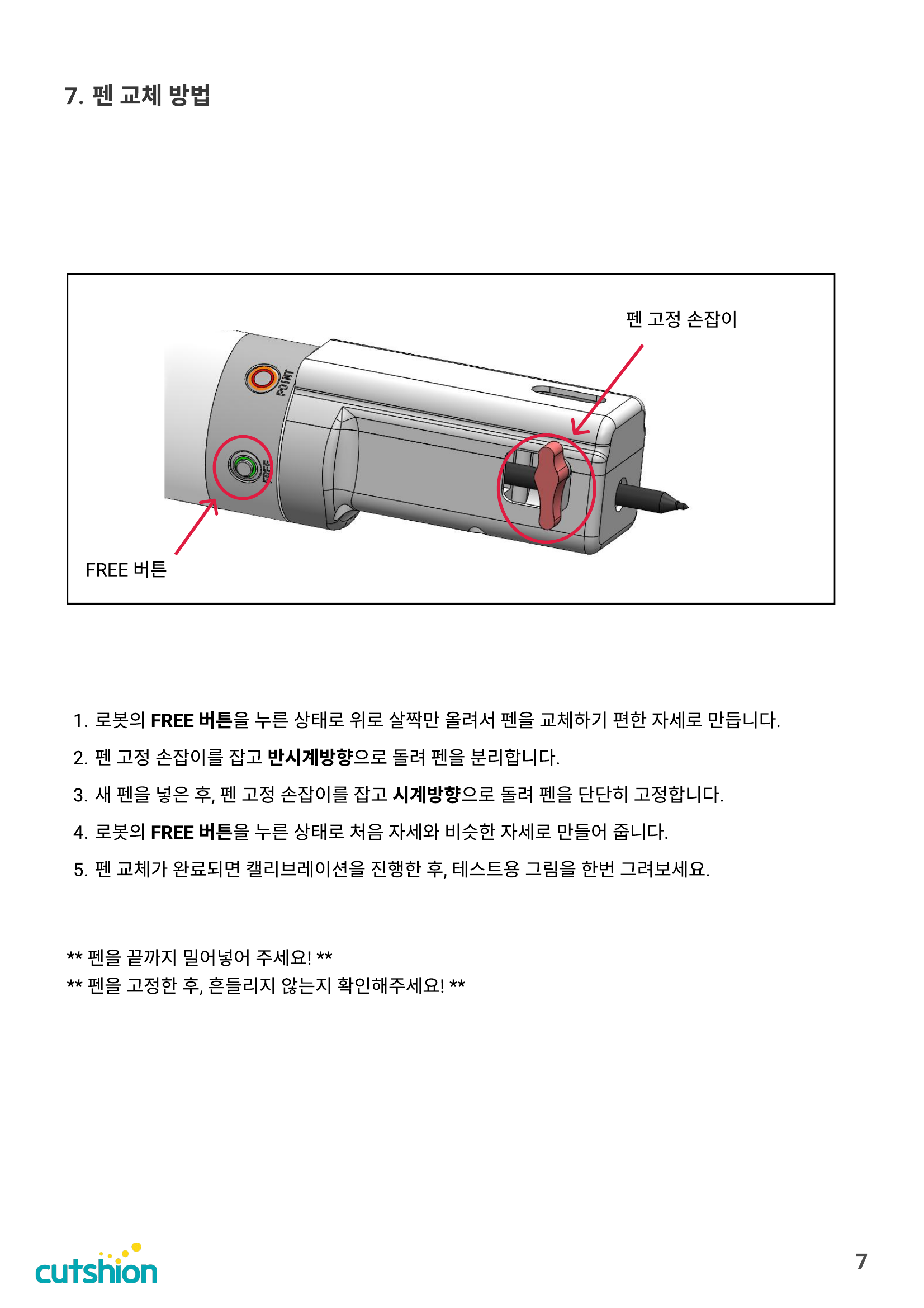
1. While holding the robot's FREE button, gently lift it up to position the robot for easy pen replacement. 2. Hold the pen holder knob and turn it counterclockwise to remove the pen. 3. Insert a new pen, then hold the pen holder knob and turn it clockwise to secure it firmly. 4. While holding the FREE button, return the robot to a position similar to its original posture. 5. After pen replacement is complete, perform calibration and try drawing a test image.
Tip
⚠ Push the pen all the way in! ⚠ After securing the pen, make sure it doesn't wobble!
이 섹션의 첨부 파일 (1)
Was this page helpful?