8분 읽기·최종 업데이트 2026-04-05
4. AI Conversion
전북대학교 · v1.0
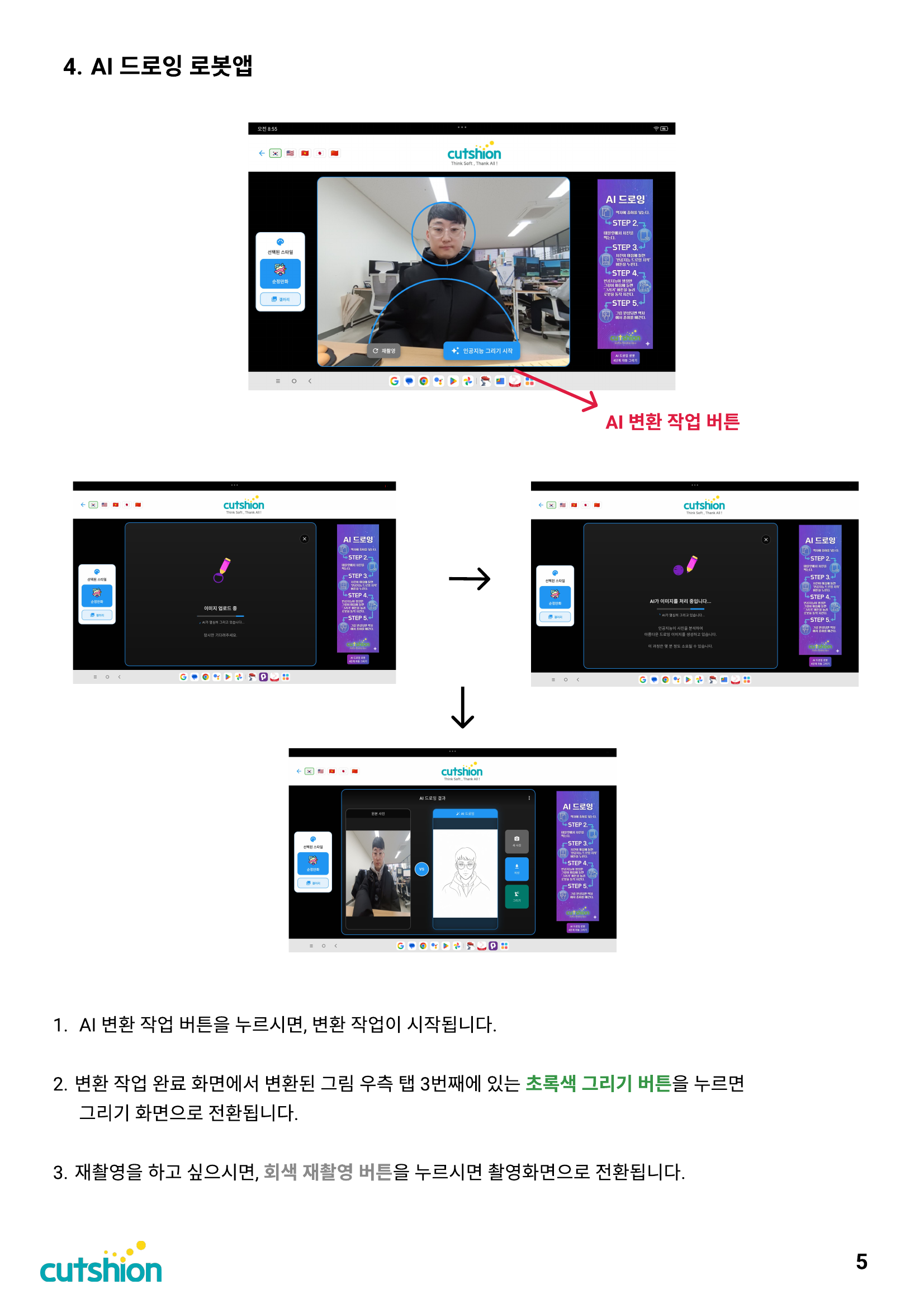
1. Press the AI conversion button to start the conversion process. 2. On the conversion result screen, press the green draw button (3rd tab on the right side of the converted image) to switch to the drawing screen. 3. To retake the photo, press the gray retake button to return to the capture screen.
이 섹션의 첨부 파일 (1)
Was this page helpful?